Ship in 5 Minutes
Clone, configure, and deploy your first authenticated add-on
This guide walks you through the minimal path to deploying a working add-on with authentication.
Prefer video? Watch the full walkthrough: Project Setup & Boilerplate (Ep. 1)
1. Clone and Install
git clone <your-repo-url>
cd shipaddons

# Install backend dependencies
cd web && yarn install && cd ..

# Install addon dependencies (requires Node 20)
cd addon && nvm use 20 && yarn install && cd ..
2. Create Google Cloud Project
Before setting up your addon, you need a Google Cloud Project:
- Go to Google Cloud Console
- Click Select a project > New Project
- Name your project and click Create
- Copy your Project Number (a ~12 digit number like
123456789012)
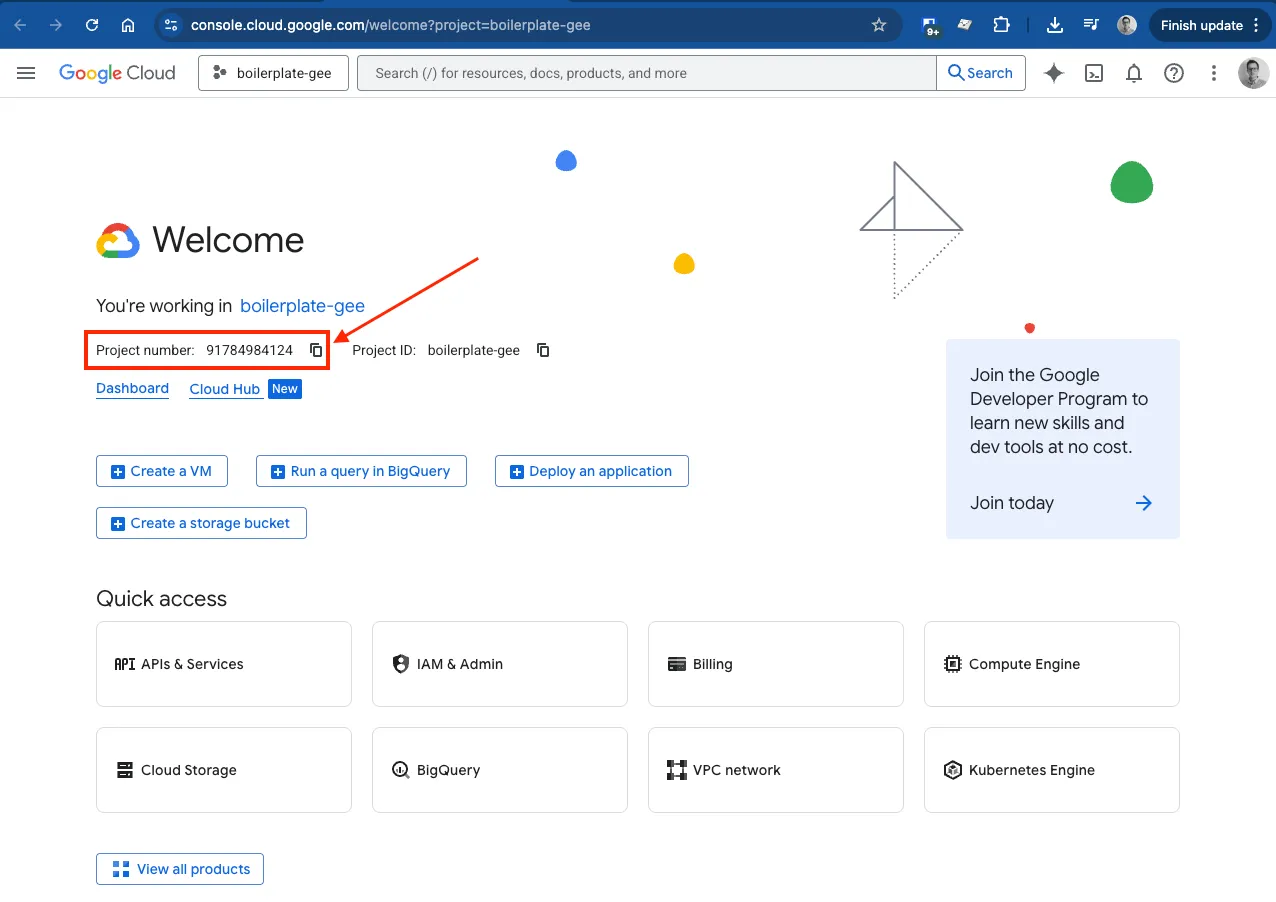
You'll need this Project Number during the addon setup.
3. Setup & Deploy the Add-on
cd addon
yarn run login    # Login to clasp (first time only)
Note: You should see
You are logged in as <your email>
yarn run setup # Interactive setup wizardThe setup wizard prompts you for:
- Local development tunnel URL (for live reload during development)
- API base URL (use your tunnel URL for now, update for production later)
- Your Google Cloud Project Number
- A name for your add-on
- Which Google apps to target (Sheets, Docs, Slides, Forms)
The wizard will automatically:
- Create
web/.env.localwith your URLs pre-configured - Update
addon/src/constants.tswith your API base URL
Tip: Use your tunnel URL as the API base URL during development. You'll update
addon/src/constants.tswith your production URL before shipping.
After the wizard completes:
-
Link Apps Script to GCP:
yarn run open # Opens all Apps Script projects in browserFor each project: Project Settings > Google Cloud Platform (GCP) Project > Enter your Project Number
-
Deploy and authorize:
yarn run deploy # Push code to Google Apps ScriptYou should see
✓ Successfully pushed to Sheets- Open a Google Doc/Sheet/Slide/Form
- Go to Extensions > Your Addon > Run it
- Complete the authorization flow
What "Working" Looks Like
When everything is configured correctly:
- Opening the sidebar shows the addon
- The authentication still needs to be setup
🎉 You Rock!
Your addon should be deployed and ready for next steps. You are getting the hang of it!